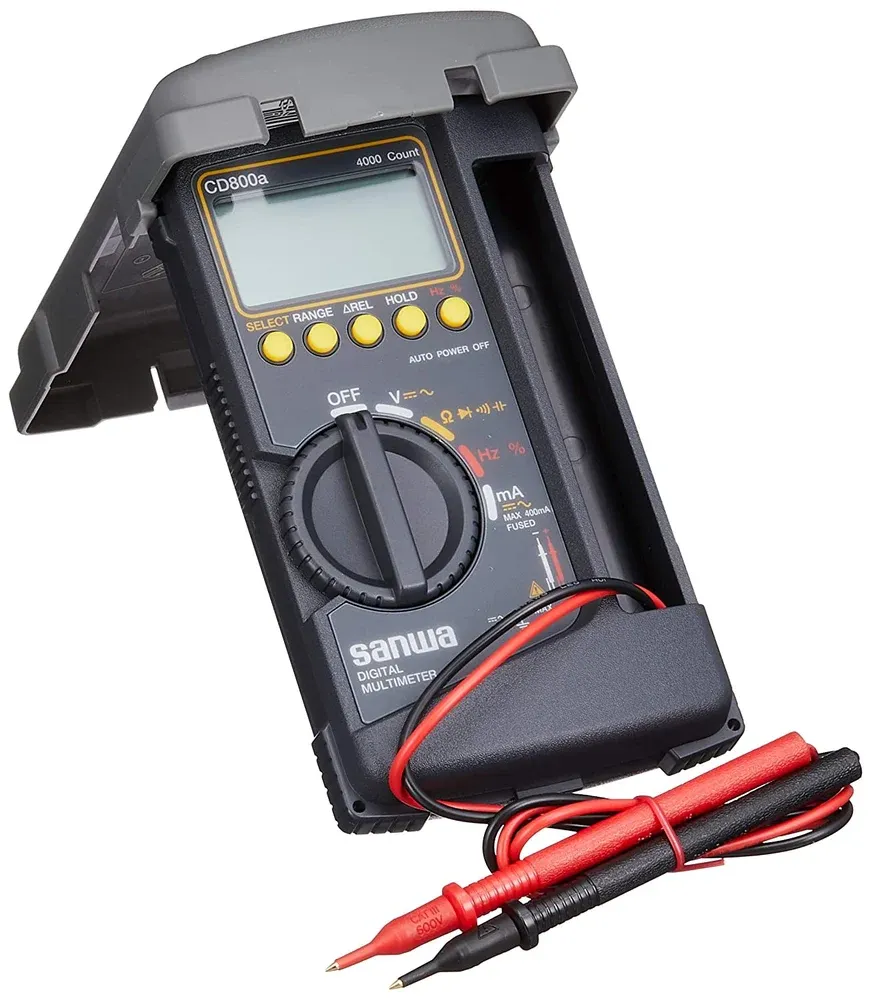
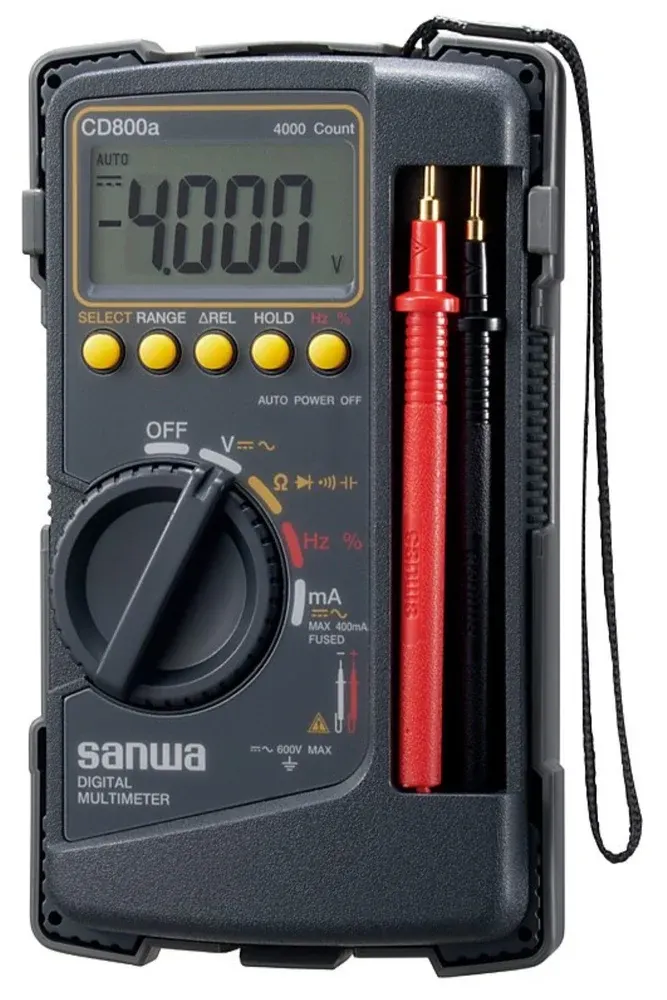
Sanwa CD800A Digital Multimeter
Brand : Sanwa
4,650.00৳ Original price was: 4,650.00৳ .4,560.00৳ Current price is: 4,560.00৳ .
Product details
Made possible by exploring innovative molded plywood techniques, Iskos-Berlin’s Soft Edge Chair blends strong curves with extreme lightness to create a three-dimensionality not usually possible with 2-D plywood.
Description
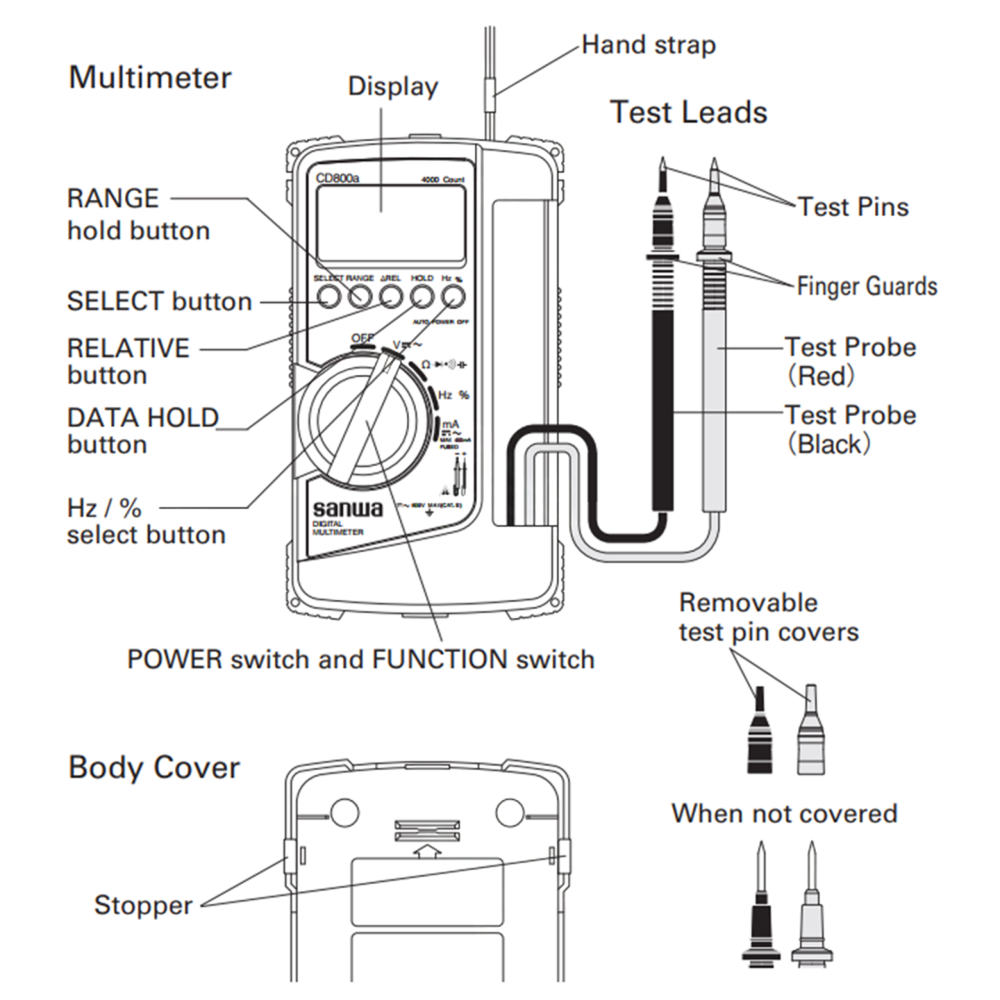
The Sanwa CD800A Digital Multimeter exists as a testing tool which measures electrical parameters that professionals need to use for their diagnostic work. The device enables users to measure both direct current and alternating current voltage and current together with resistance and capacitance and frequency and duty cycle measurements which enable users to perform multiple electrical and electronic tests through one tool. The 4000-count LCD display provides clear numerical readings, while the stable sampling rate provides matching measurement output throughout the entire duration of the device operation.
The device uses its audible buzzer to perform continuity testing and it offers diode testing capabilities which make it ideal for inspecting circuits and testing individual components. High input impedance helps maintain measurement accuracy, especially in voltage testing applications. The meter operates on standard batteries, offers long operating time, and includes fuse protection for safe operation. The equipment provides simple handling for electrical tests and repair tasks and laboratory operations through its design which includes layout and control elements.
Technical Specification :
|
Function |
Measuring Range |
Best Accuracy |
Resolution |
Input Impedance |
|---|---|---|---|---|
|
DC Voltage (DCV) |
400m / 4 / 40 / 400 / 600 V |
±(0.7% + 3) |
0.1 mV |
10MΩ – 100MΩ |
|
AC Voltage (ACV) |
4 / 40 / 400 / 600 V |
±(1.6% + 5) |
0.001 V |
10MΩ – 11MΩ |
|
DC Current (DCA) |
40 mA / 400 mA |
±(2.2% + 5) |
0.01 mA |
— |
|
AC Current (ACA) |
40 mA / 400 mA |
±(2.8% + 5) |
0.01 mA |
— |
|
Resistance |
400 / 4k / 40k / 400k / 4M / 40M Ω |
±(1.2% + 5) |
0.1 Ω |
— |
|
Capacitance |
50n / 500n / 5µ / 50µ / 100µF |
±(5% + 10) |
0.01 nF |
— |
|
Frequency |
5 Hz – 100 kHz |
±(0.5% + 3) |
— |
— |
|
Duty Cycle |
20% – 80% |
±(0.5% + 5) |
— |
— |
|
Continuity |
Buzzer at 10Ω–120Ω |
— |
— |
Open voltage ≈ 0.4 V |
|
Diode Test |
— |
— |
— |
Open voltage ≈ 1.5 V |
General Specification :
|
Parameter |
Specification |
|---|---|
|
Display |
4000-count numeric LCD |
|
Sampling Rate |
3 times per second |
|
Bandwidth |
40 Hz – 400 Hz |
|
Fuse |
0.5A / 250V, 1.5kA, Φ5×20 ceramic |
|
Power Supply |
R6P (1.5V) × 2 batteries |
|
Battery Life |
Approx. 500 hours (DCV range, manganese battery) |
|
Dimensions |
H176 × W104 × D46 mm |
|
Weight |
Approx. 340 g |
|
Test Lead Length |
Approx. 0.7 m |
|
Pin Tip Length |
19 mm |
Safety Notice
The user needs to read the instruction manual in its entirety before operating the digital meter. The manual provides instructions which show users how to operate the product in a safe and accurate manner. The product requires users to keep this document for any future situations which need its contents.
The system needs users to follow all instructions which start with the term “WARNING” because this helps prevent accidental burns and electrical shock accidents.
The multimeter displays specific symbols which appear in this manual and on its associated accessories. Users must learn these symbols because they enable safe and proper equipment operation.
|
Symbol |
Description |
Explanation |
|---|---|---|
|
Caution / Warning |
Indicates important safety information. Failure to follow instructions may result in damage, injury, or incorrect measurement. |
|
|
Dangerous Voltage |
Warns of the presence of hazardous voltage that may cause electric shock. Avoid direct contact. |
|
|
⎓ |
DC (Direct Current) |
Indicates direct current measurement or DC voltage input. |
|
~ |
AC (Alternating Current) |
Indicates alternating current measurement or AC voltage input. |
|
Ω |
Resistance |
Symbol for resistance measurement in ohms. |
|
Continuity |
Indicates continuity test mode with audible buzzer. |
|
|
➤ ◄ |
Diode Test |
Indicates diode test mode. |
|
⏚ |
Ground |
Indicates grounding or earth connection reference. |
|
⧈ |
Double Insulation |
Device is protected by double or reinforced insulation; no earth connection required |
|
Low Battery |
Indicates the battery voltage is low and needs replacement for accurate readings. |
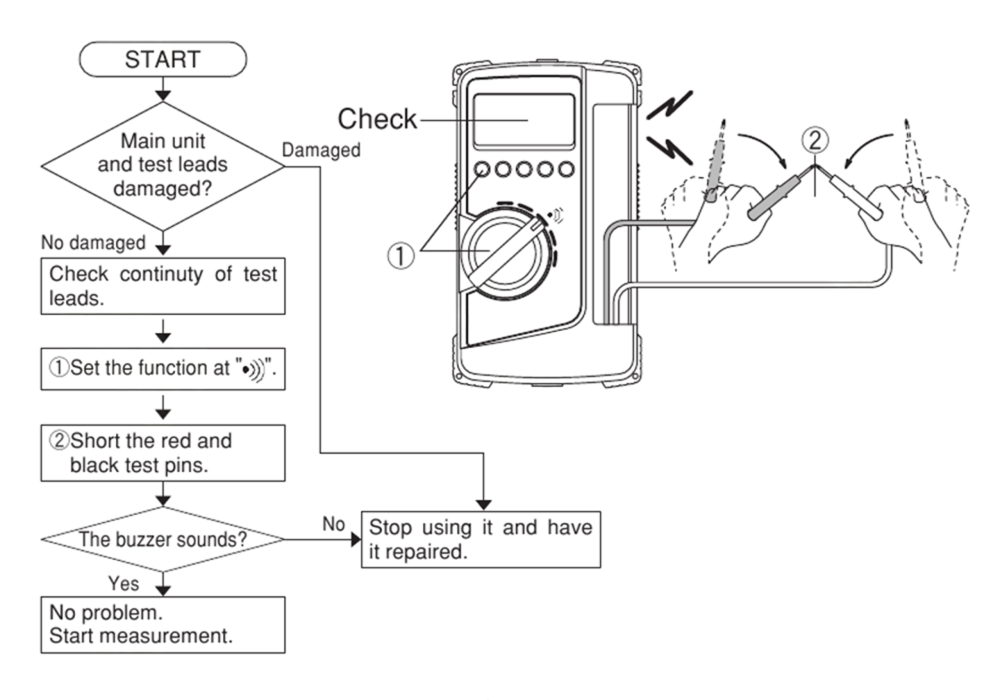
Startup Inspection :
- The display must show no indications of a low battery condition.
- The meter should only be used when both the meter and test leads remain undamaged.
- The test leads and fuse need to be examined for continuity testing.
***The absence of any display results indicates that the battery has completely run out
Voltage Measurement (DC / AC) :
- The FUNCTION switch needs to be set to “V” while the SELECT button needs to be used to select between DC and AC.
- The measurement points need to be connected using the red and black test probes.
> The black probe needs to be connected to the negative side while the red probe needs to be connected to the positive side for DC voltage measurement.
>For AC voltage measurement both probes need to be connected across the power source. - The voltage value appears on the display for reading.
- The probes need to be removed after the work has been completed.
Notes : The concerning feature, i.e. reading, is unreliable if the leads are disconnected. Precision is rated for signals of 40 to 400 Hz.
Resistance Measurement
- You should switch the FUNCTION setting to resistance (Ω) mode and use the SELECT button to choose the appropriate testing range.
- The red and black probes should be touched to the component or circuit which needs resistance measurement.
- The display shows the resistance value which can be read.
- The user should take away the probes after completing their work.
Notes : Do not apply voltage to the terminals during resistance measurement. Shield the test object if noise may affect the reading.
Frequency / Duty Cycle Measurement :
- You must activate the FUNCTION switch to Hz / % mode.
- The Hz / % button enables you to select between frequency and duty cycle operation.
- The red and black probes need to be positioned on the conductor which you want to measure.
- The displayed value needs to be read by you.
- The probes must be removed after you finish measurement.
Note: The HOLD function does not operate in frequency mode.
Current Measurement (DC mA / AC mA) :
- You must activate the FUNCTION switch to “mA” before you can choose between DC and AC by using the SELECT button.
- The meter needs to be connected in series with the circuit load.
>The black probe should be connected to the negative terminal while the red probe should be connected to the positive terminal during DC current testing through the load.
>The probes should be connected in series with the load for testing AC current.
4. The current measurement appears on the display screen.
5. The user must take out the probes after finishing their work.
Note: Never ever supply direct voltage to the current terminals.
Diode Test and Continuity :
- Diode Test : The diode mode needs to be selected and the black probe must be attached to the diode’s cathode while the red probe needs to be connected to the diode’s anode. The display shows a forward voltage drop.
- Continuity Test : A buzzer will sound if a low resistance is detected due to the continuity feature.

Reviews
Clear filtersThere are no reviews yet.